DeskBuddy: A Smart Device for Focus and Comfort

DeskBuddy: A Smart Device for Focus and Comfort

An Arduino desk companion that helps users stay focused and comfortable

Consumer Wellness Technology

Consumer Wellness Technology

Designing for Focus in the Home Office

Designing for Focus in the Home Office

Project Overview

Project Overview

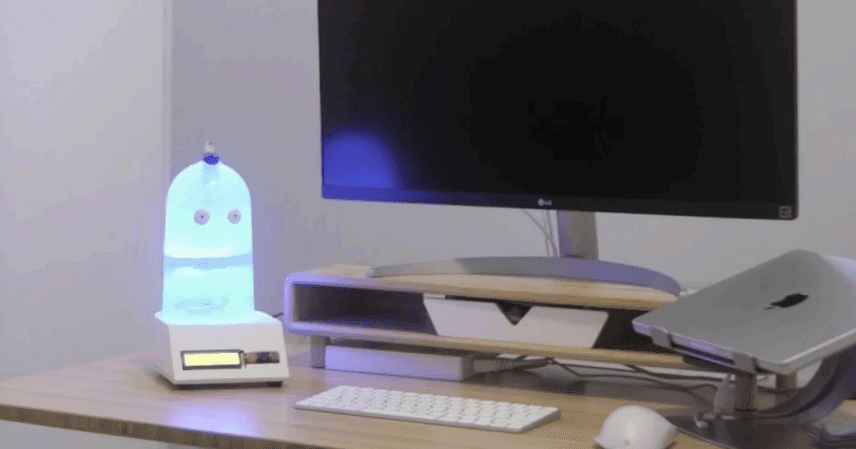
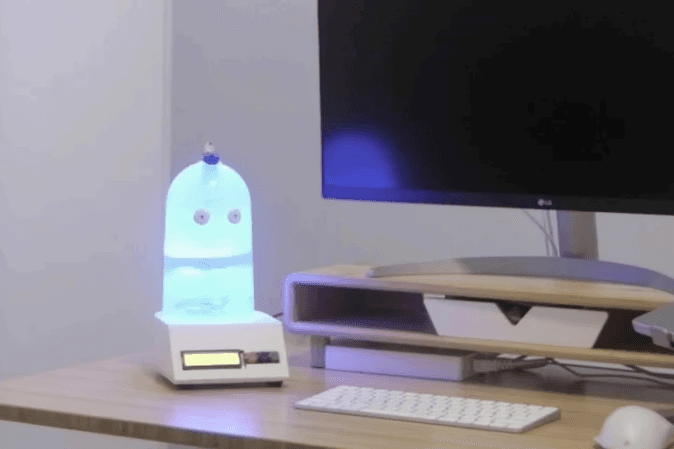
Designed and prototyped a compact desktop device that monitors environmental conditions and supports focus through simple, offline multimodal interactions.

Problem Statement

Problem Statement

Home office environments often lack feedback on lighting, air quality, and focus habits, making it difficult for people to maintain comfortable and productive work routines.

Industry

Consumer Wellness Technology

Consumer Wellness Technology

My Role

Product Design

Product Design

Hardware Prototyping

Hardware Prototyping

Embedded Development

Embedded Development

Timeline

August 2025 - December 2025

August 2025 - December 2025

Goal

Goal

Design and prototype a desk friendly device that improves comfort and well being using simple, offline, multimodal interactions.

Design and prototype a desk friendly device that improves comfort and well being using simple, offline, multimodal interactions.

Solution

Solution

Desk Buddy combines environmental sensing (light and air quality) with focus and relaxation tools (timers, breathing, white noise) in a friendly desktop form.

Desk Buddy combines environmental sensing (light and air quality) with focus and relaxation tools (timers, breathing, white noise) in a friendly desktop form.

What DeskBuddy does

What DeskBuddy does

  • Monitors light levels and adapts ambient lighting

  • Alerts when air quality crosses a threshold

  • Supports focus with task timers

  • Supports calm with guided breathing and white noise

  • Works offline with physical controls and voice commands

Design Approach

Design Approach

We worked through weekly iterations to refine both the physical form and the interaction flow. We prioritized features that were essential, feasible, and cohesive in a single device experience, then validated decisions through repeated prototyping.

Key design choices:

  • Offline first interaction (no cloud dependency)

  • Multimodal cues (visual, audio, tactile)

  • Priority logic so critical alerts override other modes
Prototype and Build

Prototype and Build

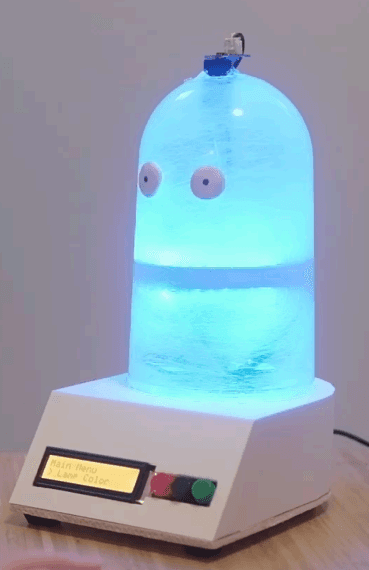
Desk Buddy has two assemblies:
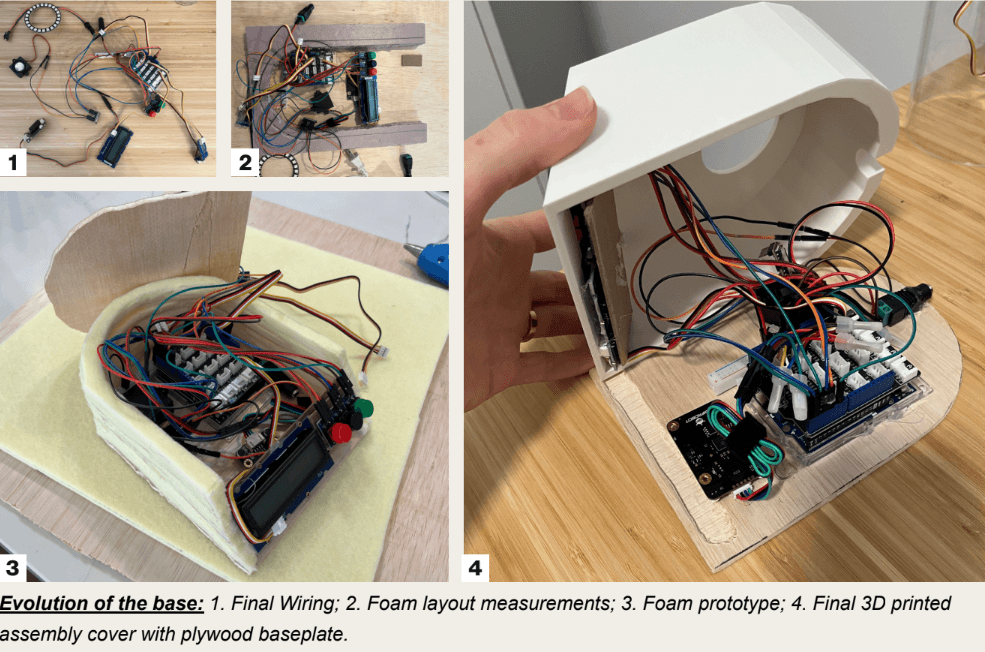
Base: houses the Arduino, screen, buttons, speaker, and voice recognition
Dome: houses lighting and environmental sensors

Desk Buddy has two assemblies:
Base: houses the Arduino, screen, buttons, speaker, and voice recognition
Dome: houses lighting and environmental sensors

Solution

Solution

Desk Buddy combines environmental sensing (light and air quality) with focus and relaxation tools (timers, breathing, white noise) in a friendly desktop form.

Desk Buddy combines environmental sensing (light and air quality) with focus and relaxation tools (timers, breathing, white noise) in a friendly desktop form.

What DeskBuddy does

What DeskBuddy does

  • Monitors light levels and adapts ambient lighting

  • Alerts when air quality crosses a threshold

  • Supports focus with task timers

  • Supports calm with guided breathing and white noise

  • Works offline with physical controls and voice commands

  • Monitors light levels and adapts ambient lighting

  • Alerts when air quality crosses a threshold

  • Supports focus with task timers

  • Supports calm with guided breathing and white noise

  • Works offline with physical controls and voice commands

Design Approach

Design Approach

We worked through weekly iterations to refine both the physical form and the interaction flow. We prioritized features that were essential, feasible, and cohesive in a single device experience, then validated decisions through repeated prototyping.

We worked through weekly iterations to refine both the physical form and the interaction flow. We prioritized features that were essential, feasible, and cohesive in a single device experience, then validated decisions through repeated prototyping.

Key design choices:

  • Offline first interaction (no cloud dependency)

  • Multimodal cues (visual, audio, tactile)

  • Priority logic so critical alerts override other modes
Key design choices:

  • Offline first interaction (no cloud dependency)

  • Multimodal cues (visual, audio, tactile)

  • Priority logic so critical alerts override other modes
Interaction Model

Interaction Model

Inputs

Inputs

Buttons: back, scroll, select

Buttons: back, scroll, select

Voice: common commands for lights, timers, breathwork, white noise

Voice: common commands for lights, timers, breathwork, white noise

Outputs

Outputs

LCD status and menu

LCD status and menu

Ambient RGB lighting

Ambient RGB lighting

Audio cues for alerts and completion

Audio cues for alerts and completion

Priority Rules

Priority Rules

Air quality alerts take priority over any active mode to ensure the user does not miss critical environmental feedback.

Air quality alerts take priority over any active mode to ensure the user does not miss critical environmental feedback.

Challenges and How We Solved Them

Challenges and How We Solved Them

Power Stability

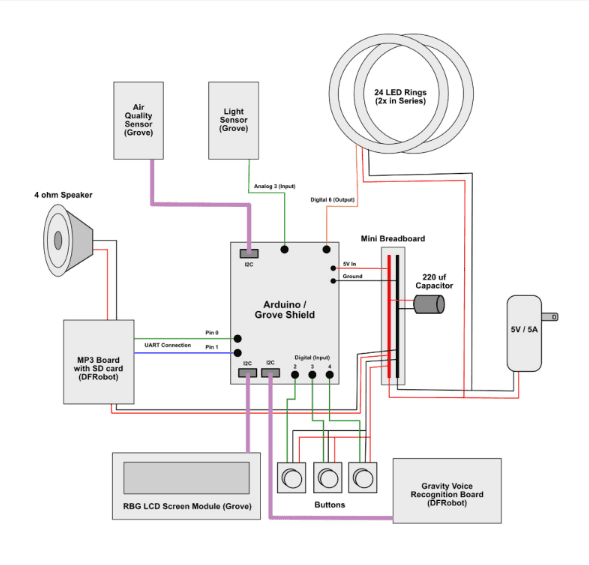
LED power draw caused brown outs. We routed LEDs to a dedicated 5V 5A supply and added a capacitor to stabilize voltage.

LED power draw caused brown outs. We routed LEDs to a dedicated 5V 5A supply and added a capacitor to stabilize voltage.

Component Communication

Component Communication

Multiple I2C devices caused occasional freezing. We adjusted initialization order, added delays, and lowered the I2C rate to improve stability.

Multiple I2C devices caused occasional freezing. We adjusted initialization order, added delays, and lowered the I2C rate to improve stability.

Designing from the inside out

Designing from the inside out

We revised the enclosure after early space assumptions proved too tight, then iterated using low fidelity mockups before final prints.

We revised the enclosure after early space assumptions proved too tight, then iterated using low fidelity mockups before final prints.

Next Steps

Next Steps

  • Bluetooth connectivity: connect to a phone to control audio, for example starting a focus playlist or white noise through Spotify or Apple Music, while keeping the device interaction simple and desk friendly.

  • Posture and break reminders: add lightweight sensing and gentle prompts to encourage movement, reduce strain, and support healthier work rhythms.

  • Stronger air quality sensing: upgrade to a true CO2 sensor and add humidity and airflow sensing for more reliable environmental feedback.

  • Bluetooth connectivity: connect to a phone to control audio, for example starting a focus playlist or white noise through Spotify or Apple Music, while keeping the device interaction simple and desk friendly.

  • Posture and break reminders: add lightweight sensing and gentle prompts to encourage movement, reduce strain, and support healthier work rhythms.

  • Stronger air quality sensing: upgrade to a true CO2 sensor and add humidity and airflow sensing for more reliable environmental feedback.

Reflection

Reflection

Physical design, electronics, and UX are deeply connected. Early component testing, shared prototype visibility, and inside out enclosure design prevent late stage surprises.

Physical design, electronics, and UX are deeply connected. Early component testing, shared prototype visibility, and inside out enclosure design prevent late stage surprises.

Select this text to see the highlight effect

Create a free website with Framer, the website builder loved by startups, designers and agencies.