Philips: AED Usability
Philips: AED Usability
Human factors research identifying usability challenges in AEDs for lay responders
Human factors research identifying usability challenges in AEDs for lay responders
Healthcare
Healthcare
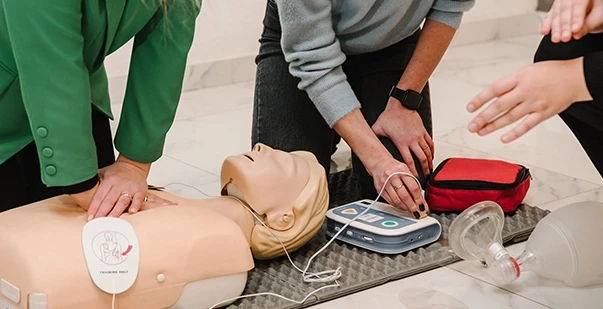
Designing AEDs for Real Emergencies
Designing AEDs for Real Emergencies
Project Overview
Project Overview
Automated external defibrillators must be usable by untrained responders under extreme stress, making intuitive interface design critical for effective emergency response.
Automated external defibrillators must be usable by untrained responders under extreme stress, making intuitive interface design critical for effective emergency response.
Problem Statement
Problem Statement
AEDs are designed for public use, but high-stress emergencies can make device interfaces difficult for untrained users to navigate, potentially delaying life-saving treatment.
AEDs are designed for public use, but high-stress emergencies can make device interfaces difficult for untrained users to navigate, potentially delaying life-saving treatment.
Industry
Heathcare
Heathcare
My Role
Experience Design PM Intern
Experience Design PM Intern
Study design
Study design
Moderation
Moderation
Coding & Synthesis
Coding & Synthesis
Timeline
August 2024 - December 2024
August 2024 - December 2024
The Challenge
The Challenge
Design for a person in panic, with zero training, and no time to think.
Design for a person in panic, with zero training, and no time to think.
Understanding the User
Understanding the User
Our users were everyday adults with no medical training, trying to follow instructions while stressed and distracted.
Our users were everyday adults with no medical training, trying to follow instructions while stressed and distracted.
What I did
What I did
I designed the study, moderated sessions, and mapped patterns in confusion across language, access, pad placement, and audio cues.
I designed the study, moderated sessions, and mapped patterns in confusion across language, access, pad placement, and audio cues.
Key Findings
Key Findings
Most failures were not medical, they were interaction breakdowns that can be designed away.
Most failures were not medical, they were interaction breakdowns that can be designed away.
Terminology
Terminology
Words like “liner” meant nothing until we paired them with simple cues such as “blue liner.”
Words like “liner” meant nothing until we paired them with simple cues such as “blue liner.”
Access and Set up
Access and Set up
Some devices took more than a minute to open, with common errors like pads over clothing or liners left on.
Some devices took more than a minute to open, with common errors like pads over clothing or liners left on.
Instruction Clarity
Instruction Clarity
Long, repeated prompts were often ignored, while clearer, reworded cues led to better performance.
Long, repeated prompts were often ignored, while clearer, reworded cues led to better performance.
Design Recommendations
Design Recommendations
[01] Pad Placement Design
Add clear anatomical outlines on pads (shoulder, sternum, nipple)
Add clear anatomical outlines on pads (shoulder, sternum, nipple)
Use consistent angles: front view for apex pad, side view for sternal pad
Use consistent angles: front view for apex pad, side view for sternal pad
Keep visual style consistent: line weight, colors, icons
Keep visual style consistent: line weight, colors, icons
[02] Clearer Terminology
[02] Clearer Terminology
Replace vague terms (“liner”) with specific descriptors (“blue liner”)
Replace vague terms (“liner”) with specific descriptors (“blue liner”)
Use 6th-grade reading level language
Use 6th-grade reading level language
Allow light repetition with slight phrasing differences
Allow light repetition with slight phrasing differences
Synchronize terms with matching audio + visual cues
Synchronize terms with matching audio + visual cues
[03] Simplify Voice Prompts
[03] Simplify Voice Prompts
Use single-action commands (“Attach pads,” “Press firmly”)
Start prompts with verbs
Match audio timing with visual elements (pads graphics or screen text)
[04] Post-Shock CPR Support
[04] Post-Shock CPR Support
Add CPR metronome at 100–120 BPM
Provide real-time coaching (e.g., “Press harder”, “Slow down”, “Good compressions - keep going”)
Optional: add visual depth feedback (green bar / light)
[05] Device Accessibility & Openability
[05] Device Accessibility & Openability
Use soft zipper cases instead of rigid latches
Add color-coded pull tabs and clear “OPEN HERE” labels
Make opening direction and steps intuitive and consistent across models
Next Steps
Next Steps
Co author a research paper with the Philips team to document the findings and recommendations for internal review.
Co author a research paper with the Philips team to document the findings and recommendations for internal review.
Reflection
Reflection
This project taught me how small interaction choices can shape behavior, and how to translate research into design decisions that matter.
This project taught me how small interaction choices can shape behavior, and how to translate research into design decisions that matter.